

The digital level, reimagined
Measurement,evolved.
It pairs with your phone, auto-calibrates, and logs every reading — so you always know your measurements are accurate and reliable.
What it's for
Readings you can stand behind.
Live dual-axis angles
Watch X and Y update in real time.
Logged to the spot
Every reading carries accurate GPS data and a timestamp.
Export-ready
Organize by project and share clean logs.
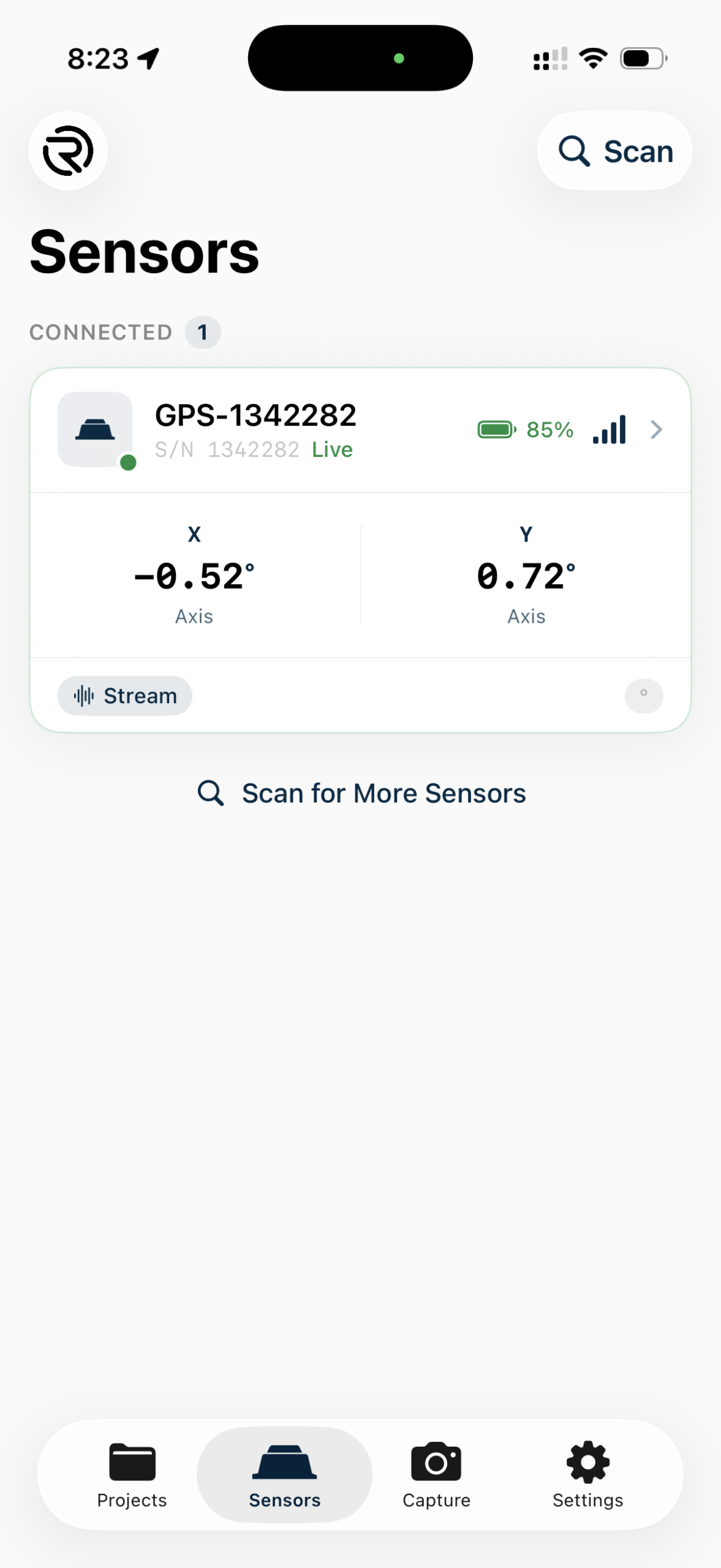
The Sensors screen — light mode
The Rieker App
Every angle, in the units you work in.
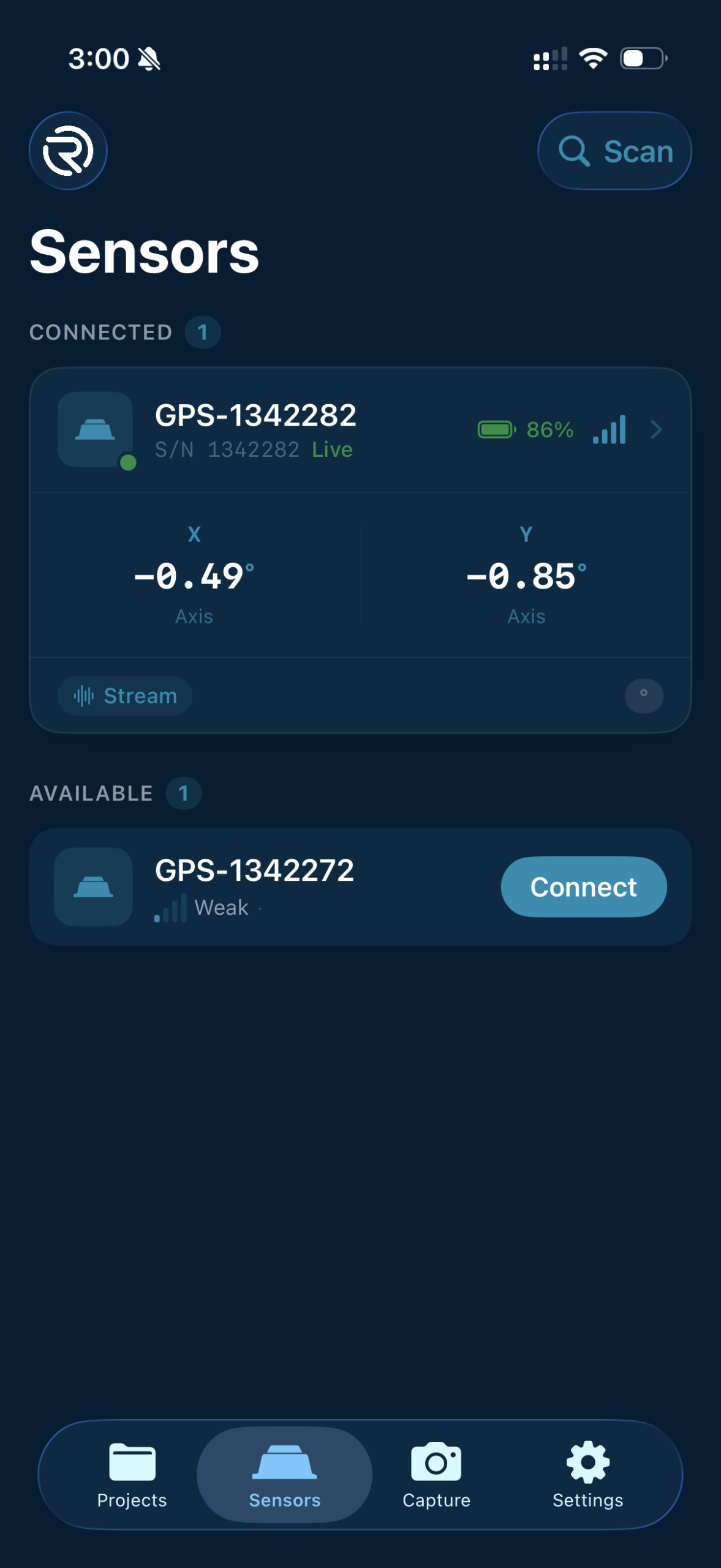
Measure slope live — in degrees, percent grade, or slope ratio. Auto-calibrated, GPS-tagged, and read out however your project calls for it.
Why it's different
Accurate, reliable, effortless.
Bluetooth connectivity
Pairs wirelessly in seconds — no cables, no adapters.
Auto-calibration
Zeroes itself on connect, for repeatable readings.
Dual-axis sensing
Simultaneous X and Y tilt, streamed live.
GPS-tagged data
Every log stamped with location and time.
How it works
From pairing to logged data.
Scan & connect
Open the app, tap Scan, pair over Bluetooth.
Auto-calibrate
The sensor zeroes itself; live X/Y appear.
Set logging
Choose 20 Hz or 1 Hz for your project.
Measure & log
Readings capture with GPS and timestamp.
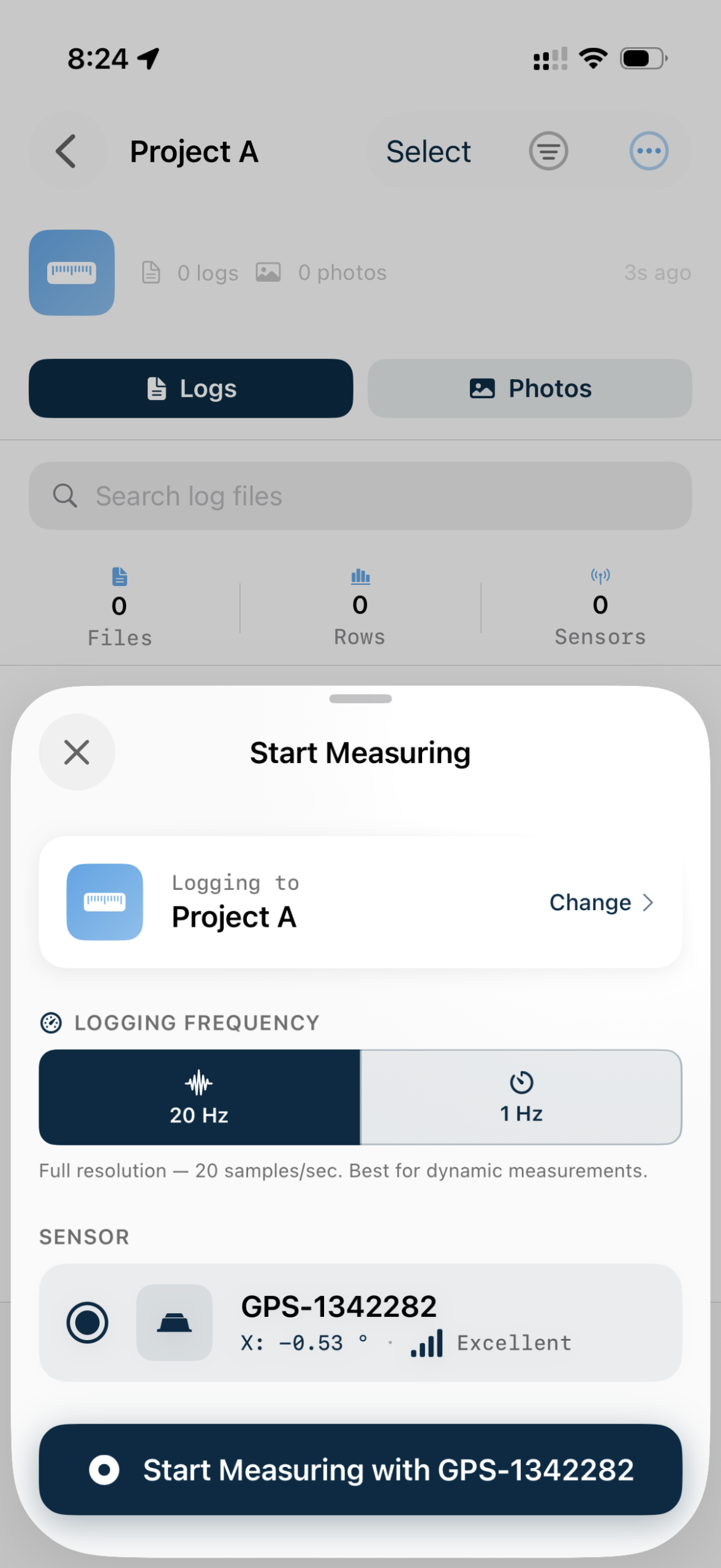
Set your logging rate, then start measuring
Available now
Get an H7 sensor.
- 1Order your H7 sensor from our team.
- 2It ships pre-tested and ready to pair.
- 3Get early access as the Rieker App reaches iOS.